AGTC-TWAIN-JS_V01-00 Radio Receiving System G/T Calculator
H. Klüver, DG7YBN, core AGTC by J.-P. Waymel, F5FOD; Build 2026-06-07
Issued 2026-07-12

Instructions for EZNEC
Instructions for 4nec2
Creating a complient Antenna and FFTab file in EZNEC
 Use browers 'Return' to return to the Calculator.
A simple instruction how to create a complient FFTab from a complient antenna model file in EZNEC:
1. Create your model aligned with the x-axis of EZNECs coordinate system.
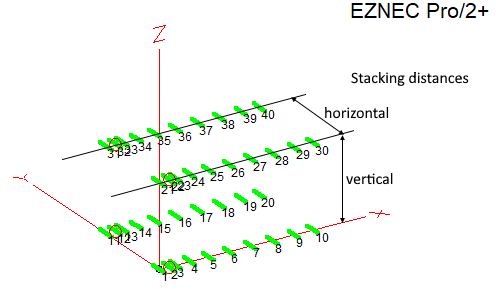
Sample antenna is a 4 x DJ9BV BVO 2-3wl.
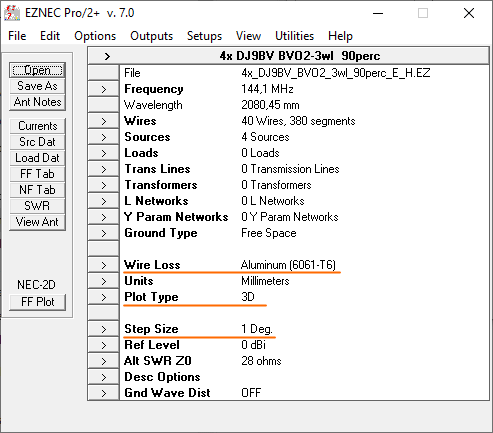
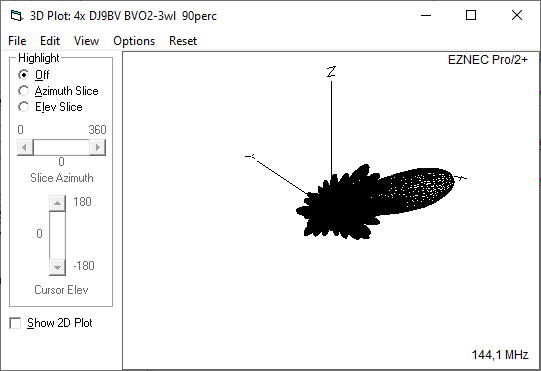
2. Run a Far Field Plot (
FF Plot), Plot Type =
3D with a resolution of
1 degrees:
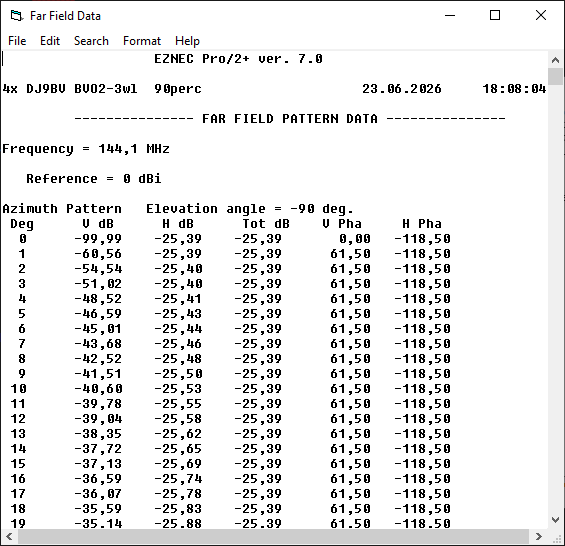
3. Next click
FF Tab to open EZNECs
Far Field Table Window.
4. In the
Far Field Table Window opt for
Azimuth Slices and select
Full Range.
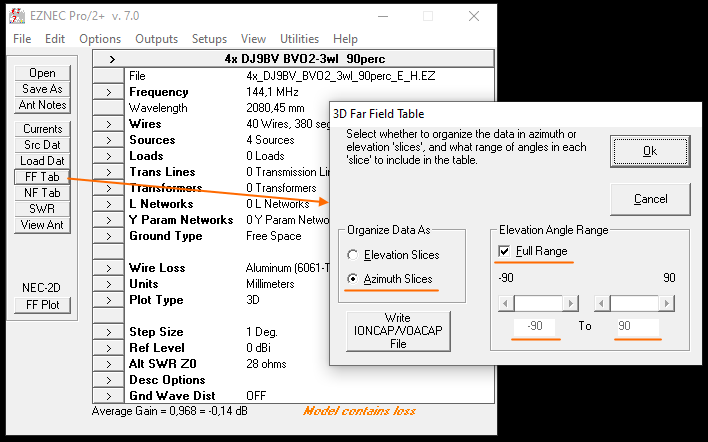
5. Click the
Ok button to let EZNEC create the
Far Field Table.
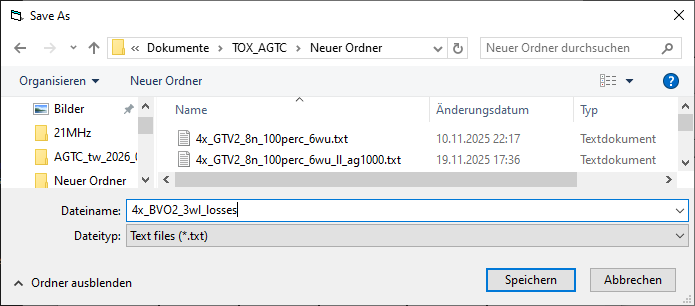
6. Finally save the
Far Field Table choosing a meaningful name. FFTabs are read by AGTC as .txt files.

Creating a complient Antenna and FFTab file in 4nec2
A simple instruction how to create a complient FFTab from a complient antenna model file in 4nec2, v5.8.9 or later:
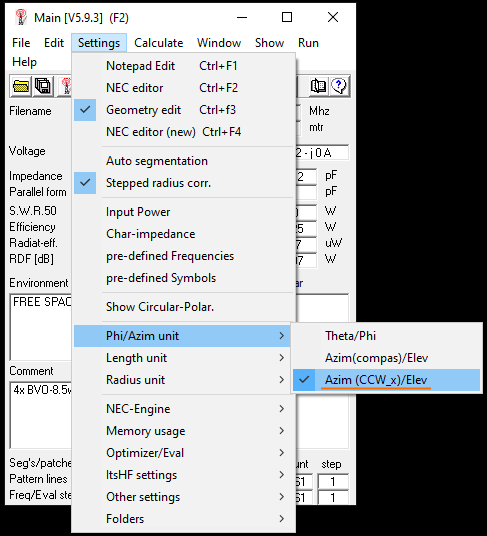
A necessary setting:
1. Create your model aligned with the x-axis of 4nec2s coordinate system.
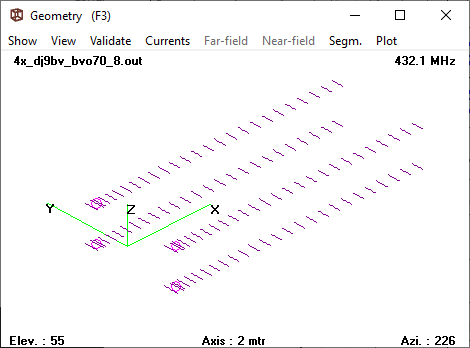
Sample antenna is a 4 x DJ9BV BVO 70-8.5wl.
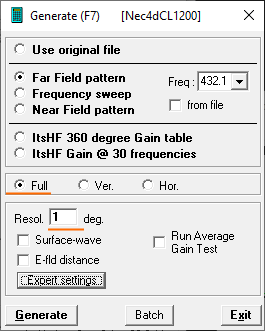
2. Run a Far Field Plot (
FF Plot), Plot Type =
Full with a resolution of
1 degrees:
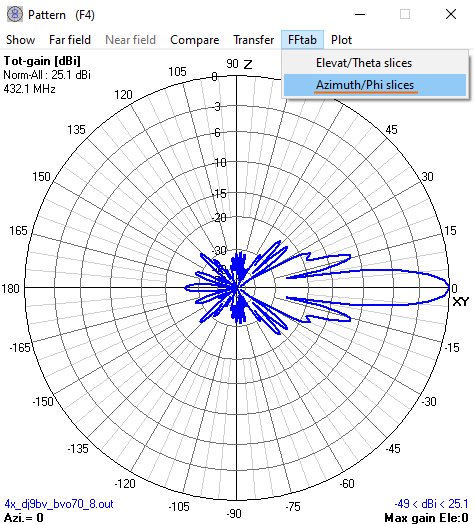
3. Next click
FFtab in the menu of 4nec2's
Pattern Window.
4. In the
dropdown menu select
Azimuth/Phi Slices.
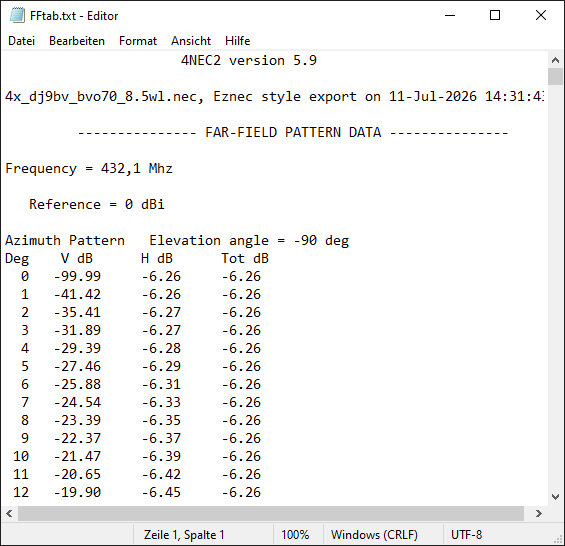
5. Finally save the
Far Field Table choosing a meaningful name. FFTabs are read by AGTC as .txt files.
Use browers 'Return' to return to the Calculator.